 ★ 5.3K
pet
Simple command-line snippet manager
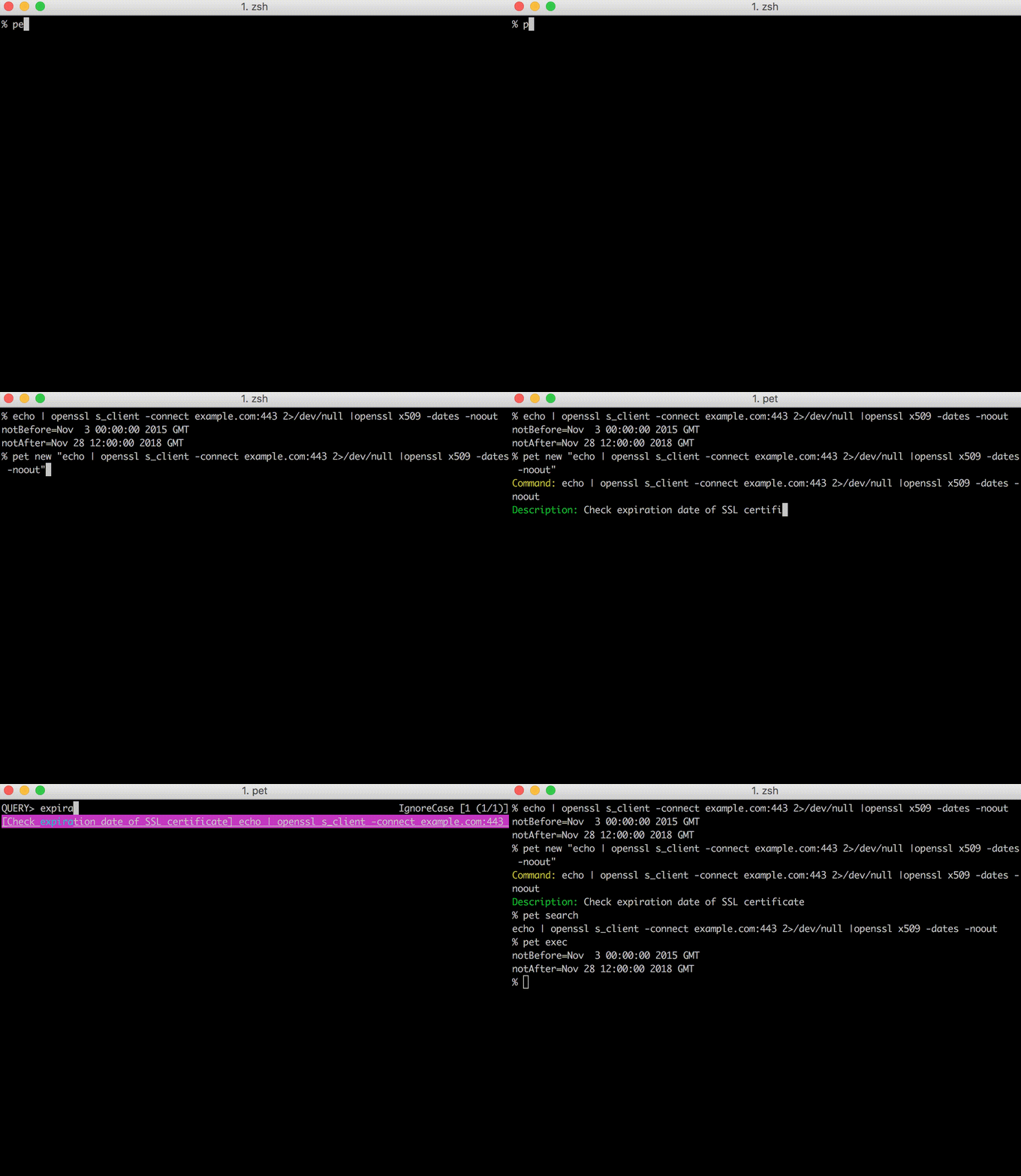
DESCRIPTION
I have a hard time remembering complex command or ones that I rarely use. Moreover, it is difficult to find them in shell history.
It's time to let go of the expectation of remembering every command, and focus on productivity and finding the right commands as fast as possible. It's fun when you're 2 years in and work with 2 tools, but less so when you're a decade in and work across backend/frontend/infrastructure with tons of tools. You most probably relate to this if you're a developer.
pet is a simple tool that allows you to save, tag, search, and execute command-line snippets easily! It's now nearly 8 years old and is used by many developers around the world.
pet is written in Go, and therefore you can just grab the binary releases and drop it in your $PATH.
INSTALLATION
$ brew install pet$ sudo dnf install pet$ yay -S pet-gitDETAILS
- Repository
- knqyf263/pet (2026-03-13)
- Author
- knqyf263
- License
- MIT
- Category
- Productivity
- Language
- Go
- Platforms
- Linux, macOS
- Version
- v1.0.1 (2024-12-08)
- Repo Age
- 9 years old
TAGS
COMMENTS
- No comments yet. Be the first.
to comment.
MORE IN PRODUCTIVITY
fzf
Go🌸 A command-line fuzzy finder
★ 83.1KProductivity12 years oldslides
GoTerminal based presentation tool
★ 11.7KProductivity5 years oldflyline
RustFlyline: a Bash plugin to replace readline for a modern line editing experience: syntax highlighting, agent integration, rich prompts, toolt
★ 1.3KProductivity10 months old

