
emeraldian
A terminal UI for your Obsidian vault: live-preview notes, backlinks, images, a force-directed graph and an assistant
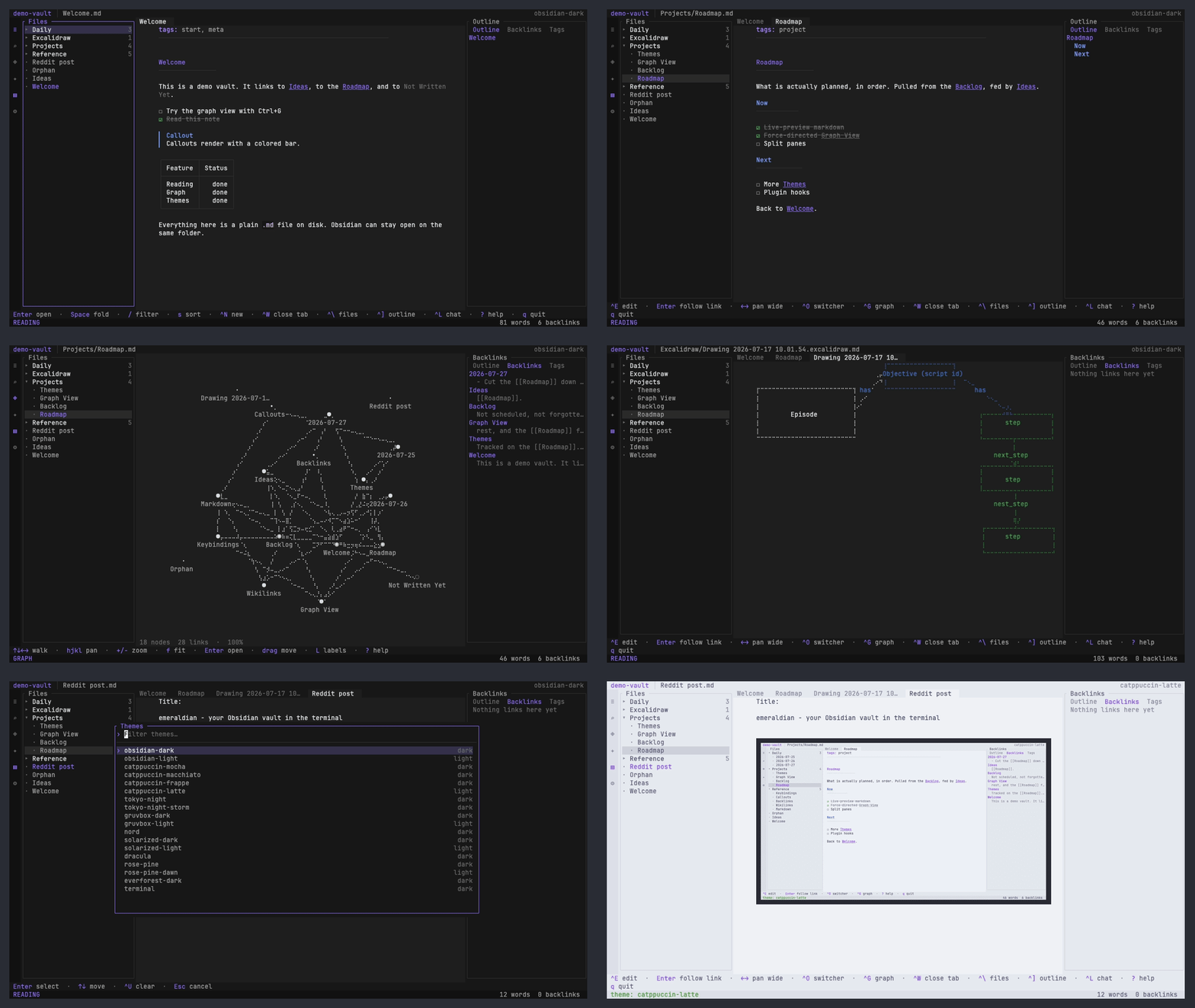
DESCRIPTION
Emeraldian is a feature-rich terminal user interface (TUI) designed to seamlessly manage and navigate local Obsidian markdown vaults. It offers a familiar three-pane layout featuring live-preview markdown, backlinks, and an interactive force-directed graph directly in the command line. It also includes an integrated AI assistant runtime that interacts directly with your notes using standard commands.
INSTALLATION
$ curl -fsSL https://emeraldian-tui.github.io/install.sh | sh$ brew install iamrohithrnair/tap/emeraldian$ cargo install emeraldianDETAILS
- Repository
- iamrohithrnair/emeraldian (2026-10-22)
- Website
emeraldian-tui.github.io
- Author
- iamrohithrnair
- License
- GPL-3.0
- Category
- Data Processing
- Language
- Rust
- Platforms
- Linux, macOS
- Version
- v0.6.0 (2026-09-26)
- Repo Age
- 2 months old
TAGS
SEE ALSO
- emeraldian is a modern alternative to Obsidian
- Featured in Markdown tools for the terminal
BADGE
Maintain emeraldian? Add this badge to your README: listings that link back are marked verified and ranked first in the directory. It's checked once a day.

[+] show code[−] hide code
[](https://cli.masoko.net/tools/emeraldian/)<a href="https://cli.masoko.net/tools/emeraldian/"><img src="https://cli.masoko.net/badge/emeraldian.svg" alt="emeraldian on The Terminal Index"></a>COMMENTS
- No comments yet. Be the first.
to comment.
MORE IN DATA PROCESSING
ycrawl
RustFetch a web page, get clean markdown, with honest verdicts when a page is blocked.
★ 3Data Processing2 months oldcloc
Perlcloc counts blank lines, comment lines, and physical lines of source code in many programming languages.
★ 23.6KData Processing11 years oldcsvlens
RustCommand line csv viewer
★ 4KData Processing5 years old


