
htop
htop - an interactive process viewer
INSTALLATION
$ sudo apt install htop$ brew install htop$ sudo dnf install htop$ sudo pacman -S htop$ sudo apk add htop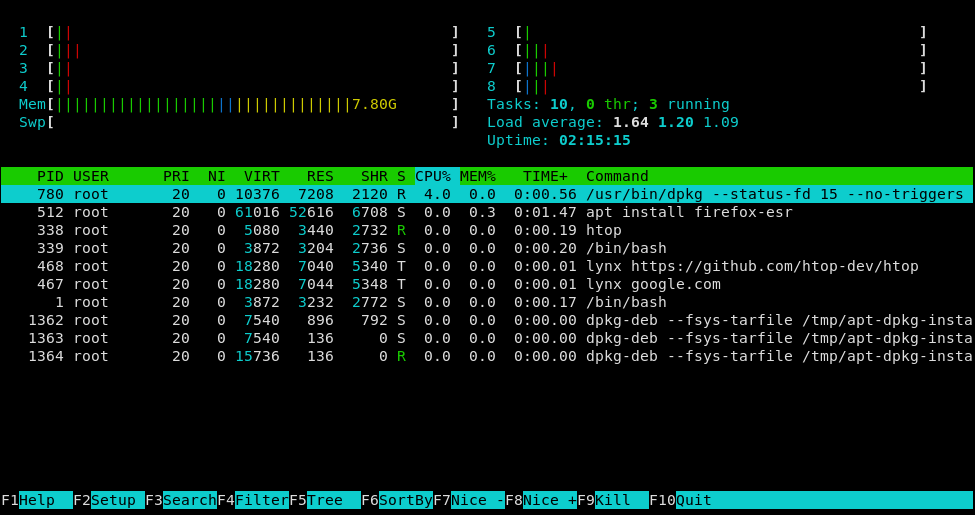
DESCRIPTION
htop is a cross-platform interactive process viewer.
htop allows scrolling the list of processes vertically and horizontally to see their full command lines and related information like memory and CPU consumption. Also system wide information, like load average or swap usage, is shown.
The information displayed is configurable through a graphical setup and can be sorted and filtered interactively.
Tasks related to processes (e.g. killing and renicing) can be done without entering their PIDs.
DETAILS
- Repository
- htop-dev/htop (2026-11-04)
- Website
htop.dev/
- Author
- htop-dev
- License
- GPL-2.0
- Category
- System Monitoring
- Language
- C
- Platforms
- Linux, macOS
- Version
- 3.5.3 (2026-08-16)
- Repo Age
- 6 years old
STAR HISTORY
TAGS
SEE ALSO
- htop is a modern alternative to top / ps
BADGE
Maintain htop? Add this badge to your README: listings that link back are marked verified and ranked first in the directory. It's checked once a day.

[+] show code[−] hide code
[](https://cli.masoko.net/tools/htop/)<a href="https://cli.masoko.net/tools/htop/"><img src="https://cli.masoko.net/badge/htop.svg" alt="htop on The Terminal Index"></a>COMMENTS
- No comments yet. Be the first.
to comment.
RELATED TOOLS

tldr
MarkdownCollaborative cheatsheets for console commands 📚.
★ 64.2KShell & Terminal12 years old
usbtree
RustLive USB device tree in your terminal. Rust TUI, no root, no libusb. Full activity metrics on Linux; device tree on macOS/Windows.
★ 713System Monitoring4 months old
btop
C++A monitor of resources
★ 35.3KSystem Monitoring5 years oldgtop
JavaScriptSystem monitoring dashboard for terminal
★ 9.9KSystem Monitoring9 years old
RecoverPy
PythonInteractively find and recover deleted or :point_right: overwritten :point_left: files from your terminal
★ 1.8KFile Management5 years old
tetro-tui
RustA modern, highly customizable tetromino-stacking game for the terminal.
★ 766Games & Fun2 years old
