
YTunnel
A TUI-first CLI for managing Cloudflare Tunnels with custom domains.
DESCRIPTION
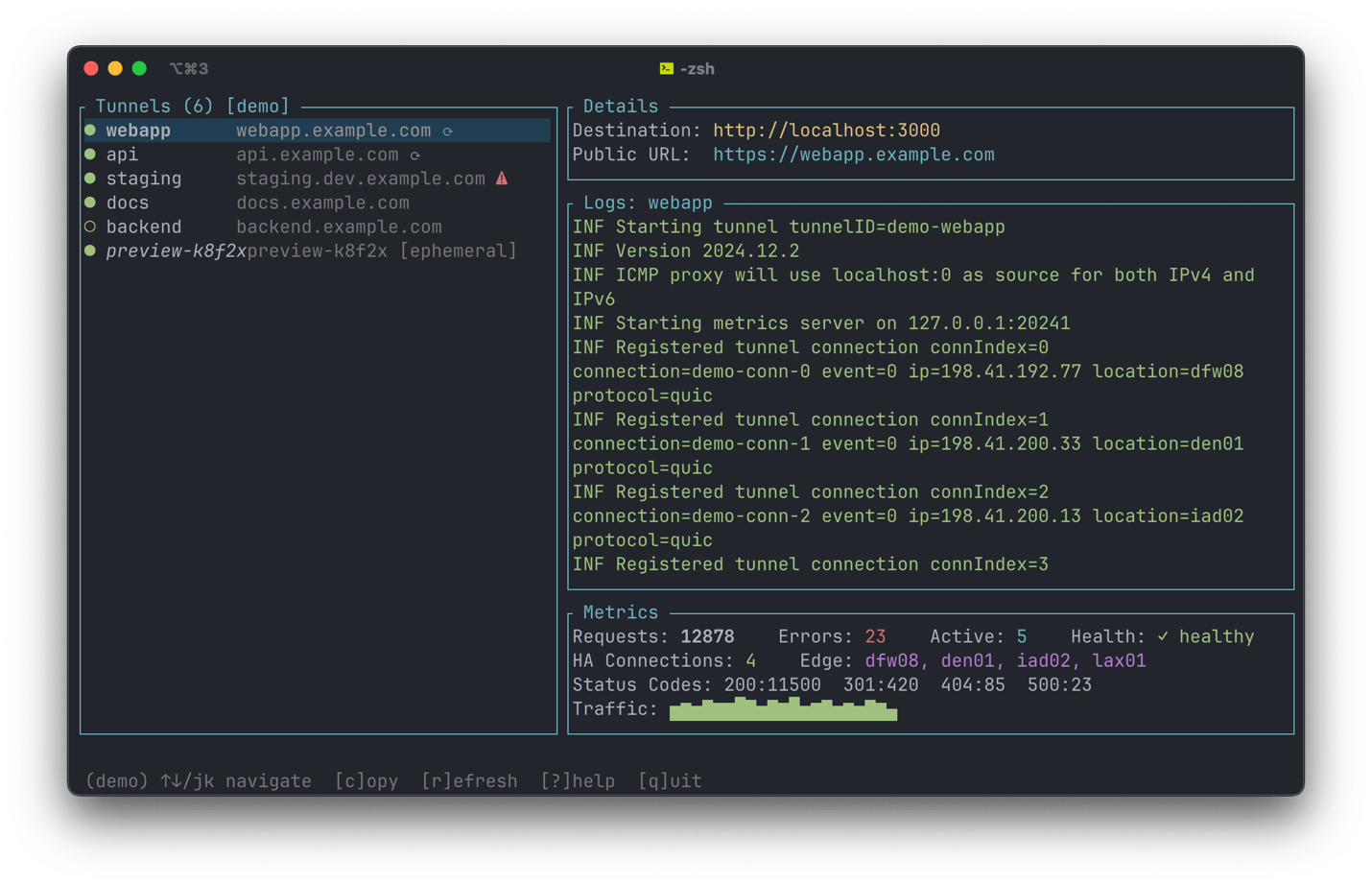
Gives a local port a real URL on a domain you already own, using your own Cloudflare account. Set a tunnel up once and the URL stays put across restarts, with HTTPS handled by Cloudflare and the CNAME record created for you. The dashboard lists every tunnel you have with live request counts, error rates and connection status.
Tunnels run as background daemons under launchd on macOS or systemd on Linux, so they keep serving after a reboot whether or not the dashboard is open. It handles several Cloudflare accounts and several domains at once, and there is an ephemeral mode for a quick one-off that cleans up after itself on exit. You need cloudflared installed and an API token with tunnel and DNS edit permissions; ytunnel does the rest.
INSTALLATION
$ brew install yetidevworks/ytunnel/ytunnel$ cargo install ytunnelDETAILS
- Repository
- yetidevworks/ytunnel (2026-08-05)
- Website
yetidevworks.com/ytunnel
- Author
- yetidevworks
- License
- MIT
- Category
- Networking
- Language
- Rust
- Platforms
- Linux, macOS
- Version
- v1.0.0 (2026-08-05)
- Repo Age
- 9 months old
TAGS
BADGE
Maintain YTunnel? Add this badge to your README: listings that link back are marked verified and ranked first in the directory. It's checked once a day.

[+] show code[−] hide code
[](https://cli.masoko.net/tools/ytunnel/)<a href="https://cli.masoko.net/tools/ytunnel/"><img src="https://cli.masoko.net/badge/ytunnel.svg" alt="YTunnel on The Terminal Index"></a>COMMENTS
- No comments yet. Be the first.
to comment.
MORE IN NETWORKING

ctty
GoA lightweight, all-in-one connection manager — SSH, Serial, SFTP, Telnet, FTP, WebDAV and S3 in a single TUI 🔥
★ 252Networking2 months olddnsglobe
RustGlobal DNS propagation checker TUI — watch a DNS record propagate across 34 public resolvers worldwide, on a world map in your terminal
★ 1.3KNetworking3 months oldsshfs
CA network filesystem client to connect to SSH servers
★ 7.7KNetworking10 years old

