wtf
The personal information dashboard for your terminal
INSTALLATION
$ pacman -S wtfutil$ apk add wtfutil$ nix-env -iA wtf$ emerge sys-process/wtf$ brew install wtfutil$ sudo port install wtfutil$ pkg install sysutils/go-wtf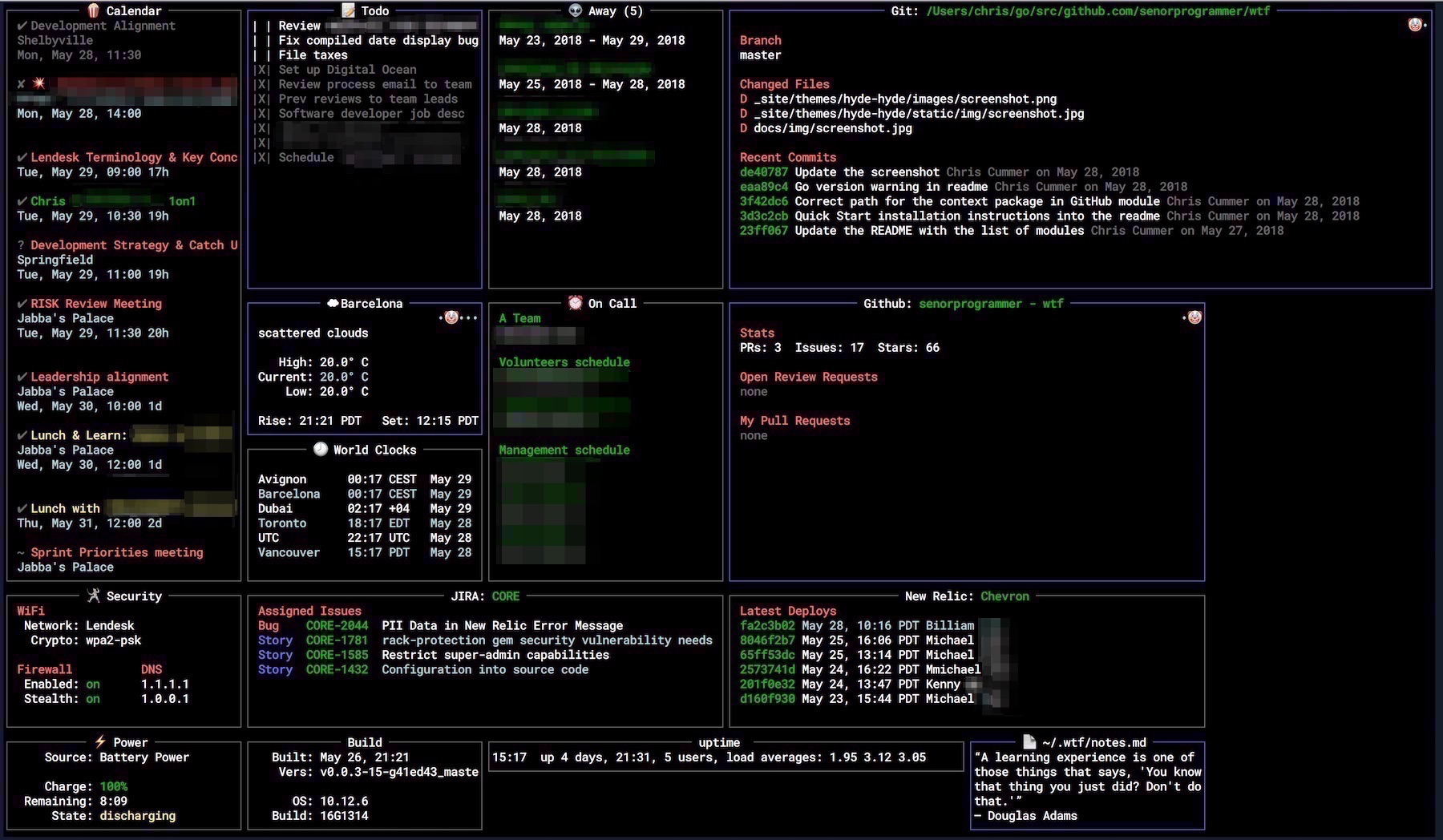
DESCRIPTION
WTF (or wtfutil) is a highly customizable terminal-based user interface (TUI) designed to act as a personal information dashboard. Written in Go, it aggregates real-time data from various services—such as system stats, git repositories, weather, and calendars—into a single modular layout. It helps developers and sysadmins monitor their projects, workflow metrics, and infrastructure directly from the command line.
DETAILS
- Repository
- wtfutil/wtf (2026-10-21)
- Website
wtfutil.com
- Author
- wtfutil
- License
- MPL-2.0
- Category
- Notes & Documents
- Language
- Go
- Platforms
- Linux, macOS
- Version
- v0.51.0 (2026-09-29)
- Repo Age
- 8 years old
STAR HISTORY
TAGS
BADGE
Maintain wtf? Add this badge to your README: listings that link back are marked verified and ranked first in the directory. It's checked once a day.

[+] show code[−] hide code
[](https://cli.masoko.net/tools/wtf/)<a href="https://cli.masoko.net/tools/wtf/"><img src="https://cli.masoko.net/badge/wtf.svg" alt="wtf on The Terminal Index"></a>COMMENTS
- No comments yet. Be the first.
to comment.
RELATED TOOLS

flow
Gosee your network breathe
★ 461Networking4 months old
lazymark
GoLazy markdown notes, tasks and a Kanban board in your terminal. With a sleepy sloth.
★ 103Notes & Documents1 month olddoxx
RustExpose the contents of .docx files without leaving your terminal. Fast, safe, and smart — no Office required!
★ 3.8KNotes & Documents1 year old
leaf
RustTerminal Markdown previewer — GUI-like experience.
★ 2.4KNotes & Documents7 months oldtreemd
RustA (TUI/CLI) markdown navigator with tree-based structural navigation.
★ 732Notes & Documents1 year oldtsuzuri
GoBlock-based notebook for the terminal. Plain Markdown files, Vim editing, live preview, boards, calendars and 96 themes.
★ 354✓ verifiedNotes & Documents2 months old