mdcat
cat for markdown
INSTALLATION
$ brew install mdcat$ paru -S mdcat-bin$ nix-env -iA nixpkgs.mdcat$ sudo port install mdcat$ pkg install mdcat$ sudo xbps-install mdcat$ pacman -S mingw-w64-x86_64-mdcat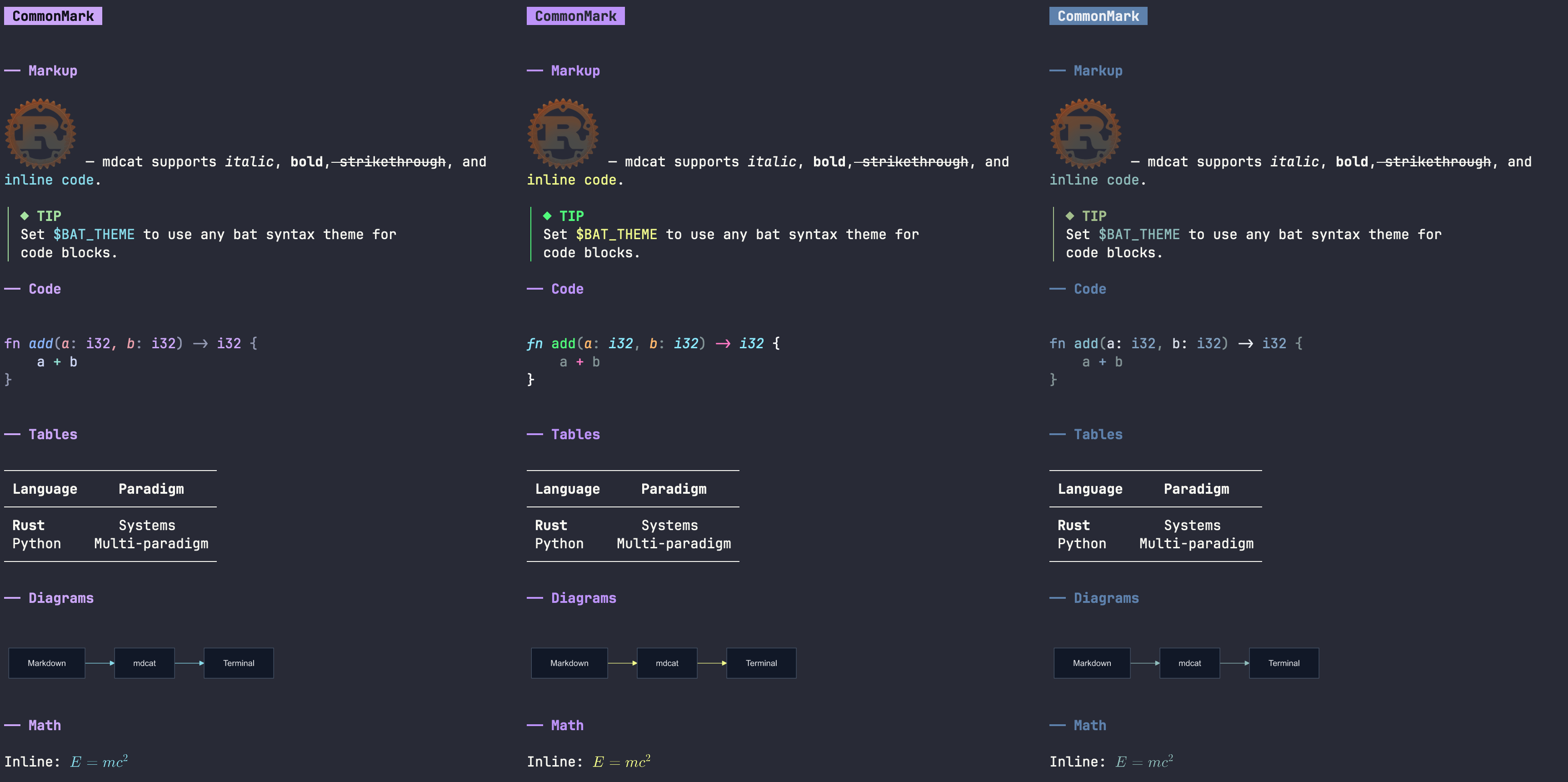
DESCRIPTION
A sophisticated Markdown viewer for text terminals that nicely renders CommonMark, definition lists, tables, and inline markup.
Features syntax highlighting for code blocks, inline image rendering via Sixel, kitty, or iTerm2 protocols, and math/Mermaid diagram support.
Includes multiple built-in color themes, auto dark/light detection, smart punctuation, and a live-preview --watch mode.
DETAILS
- Repository
- BIRSAx2/mdcat (2026-11-09)
- Website
crates.io/crates/mdcat
- Author
- BIRSAx2
- License
- MPL-2.0
- Category
- Notes & Documents
- Language
- Rust
- Platforms
- Linux, macOS, Windows
- Version
- mdcat-2.19.0 (2026-10-19)
- Repo Age
- 4 months old
STAR HISTORY
TAGS
BADGE
Maintain mdcat? Add this badge to your README: listings that link back are marked verified and ranked first in the directory. It's checked once a day.

[+] show code[−] hide code
[](https://cli.masoko.net/tools/mdcat/)<a href="https://cli.masoko.net/tools/mdcat/"><img src="https://cli.masoko.net/badge/mdcat.svg" alt="mdcat on The Terminal Index"></a>COMMENTS
- No comments yet. Be the first.
to comment.
RELATED TOOLS

wtf
GoThe personal information dashboard for your terminal
★ 17.1KNotes & Documents8 years oldslides
GoTerminal based presentation tool
★ 11.7KNotes & Documents5 years olddoxx
RustExpose the contents of .docx files without leaving your terminal. Fast, safe, and smart — no Office required!
★ 3.8KNotes & Documents1 year old
leaf
RustTerminal Markdown previewer — GUI-like experience.
★ 2.4KNotes & Documents7 months oldtreemd
RustA (TUI/CLI) markdown navigator with tree-based structural navigation.
★ 732Notes & Documents1 year oldtsuzuri
GoBlock-based notebook for the terminal. Plain Markdown files, Vim editing, live preview, boards, calendars and 96 themes.
★ 354✓ verifiedNotes & Documents2 months old